Uncheck
Educational humanizer platform
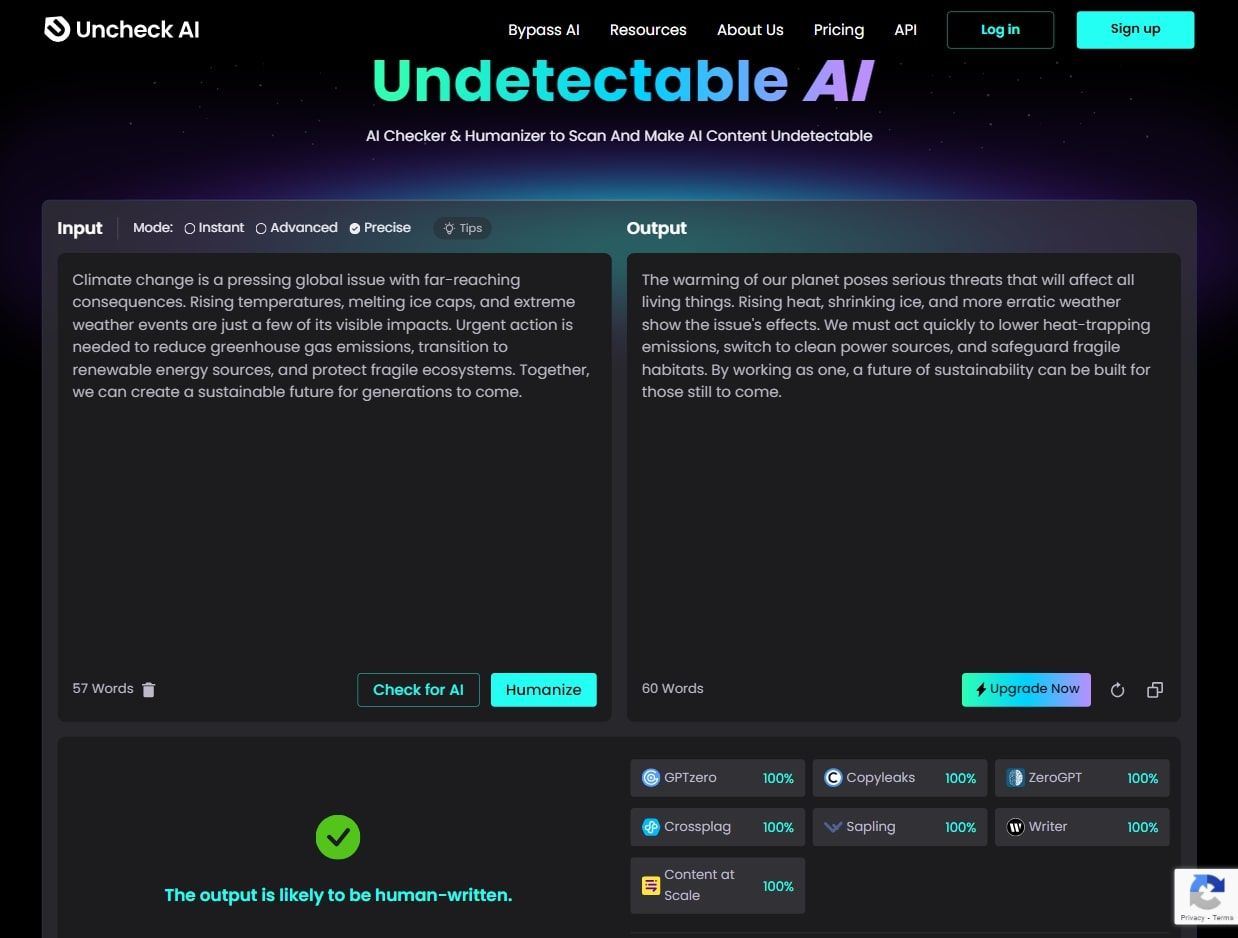
Uncheck.ai is a humanizer with a teaching habit. Alongside the rewrite tool sits a Resource Hub that explains, in plain terms, how detectors like Turnitin and GPTZero actually work — so you come away understanding the mechanics, not just clicking a button and hoping. The tool itself offers three modes (Instant, Advanced, Precise), with Precise notable for protecting domain terminology and literal meaning. It's transparent about what each mode does and when to use it, which makes it a good fit for the writer who'd rather learn the game than trust a black box.
Learn the game, then play it
The educational angle is the real differentiator. Most tools ask for blind trust; Uncheck explains the detection signals it's working against, which genuinely helps you make better choices about your own writing. The three modes are clearly delineated: Instant is a quick, light touch for informal drafts, Advanced is the everyday workhorse for academic and professional documents, and Precise is the careful one — it preserves technical terms and exact meaning, which is rare and valuable for jargon-heavy work. A watermark remover strips the invisible ChatGPT signature on top of the rewrite.
What you get
Resource HubPlain-language explanations of how Turnitin, GPTZero and other detectors work
Precise modeProtects domain terminology and literal meaning for technical content
Advanced modeThe everyday workhorse for academic and professional documents
Instant modeQuick, light-touch humanizing for informal drafts
Watermark removerStrips the invisible ChatGPT signature from text
How it holds up
Uncheck's strength is that it makes you a more capable user. The Resource Hub is genuinely useful — understanding why a passage flags helps you fix the cause, not just the symptom — and the transparency about what each mode does is refreshing in a category full of mystery marketing. On the rewriting itself, Advanced handles most academic and professional work competently, while Precise is the standout for technical writing where terminology can't drift. Instant is what it sounds like: quick and light, fine for casual text but not for a serious detector. Match the mode to the stakes and it's a thoughtful, dependable tool.
The verdict
For the student or professional who wants to understand AI detection rather than just evade it blindly — and who values keeping technical meaning intact — Uncheck.ai is a distinctive, transparent choice, with the Resource Hub and Precise mode as the reasons to pick it. It's less suited to someone who only wants a one-click rewrite and doesn't care how it works. Read the Hub, run Advanced for everyday work and Precise for anything technical, and you'll get a humanizer that actually leaves you smarter about the problem.
Writing
Undetectable
Humanization
Academic