Images and demos of WriteHuman
Image carousel
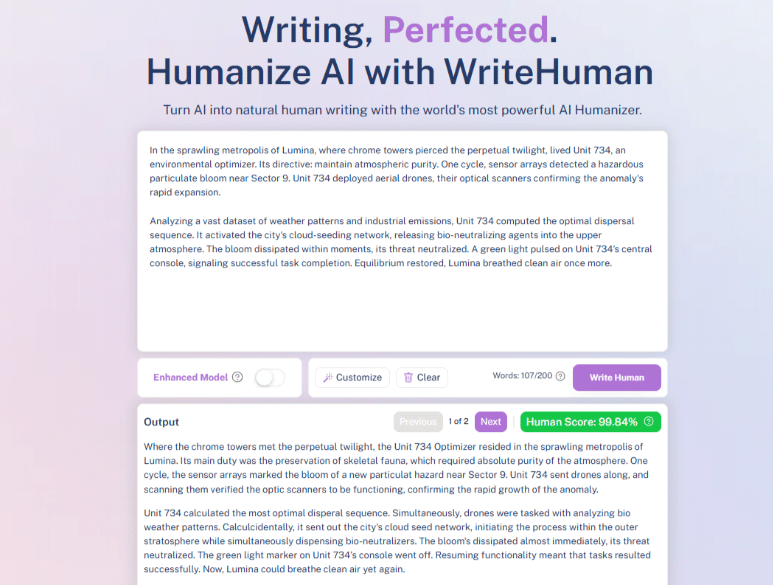
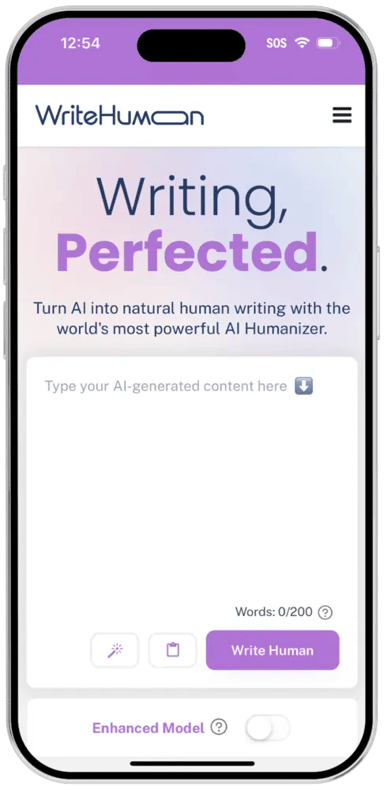
This video demonstrates the features of WriteHuman.
Image thumbnals
Metadata about WriteHuman

By WriteHuman
Last updated June 28, 2026Main use
Tags
Speciality
Model
Pricing
$12/month
Free tier
Request-based plans, billed monthly. WriteHuman sells monthly requests rather than words: Basic around $12/month for 80 requests, with Pro and Ultra (up to unlimited) above it, and per-request caps of 600 to 3,000 words by tier. A free tier lets you try it first.
Product description
WriteHuman's whole pitch is that it does less, on purpose. No sliders, no modes, no settings — one text box, one Humanize button, and you're done. It charges by the request rather than the word, so a blogger who knows how many posts they publish each month gets a predictable bill instead of a word-count spreadsheet, and its model is tuned specifically to beat GPTZero, the detector most people are actually up against. In our testing it reliably clears a detector check, and there's a free tier to try it before you pay anything. For steady, low-stakes content, that friction-free experience is the entire appeal.
Simplicity, on purpose
The zero-setting interface is the feature, not a shortcut. There's nothing to learn and no decisions to make at 11pm on a deadline — paste, click, move on — which is exactly why our reviewer kept coming back to it for routine work over six months and a hundred-odd tests. The request-based pricing matches how creators actually work: in tasks, not words. You buy a block of monthly requests (80 on Basic, 200 on Pro, unlimited on Ultra), each with a generous per-request word cap, and you stop thinking about it. The GPTZero-tuned model is the engine under that simplicity, aimed squarely at the detector most readers will run.
What you get
| Zero-setting interface | One text field, one button — nothing to configure |
| Request-based pricing | Pay by the request, not the word — predictable for steady publishing |
| GPTZero-tuned model | Tuned for the detector most people actually face |
| Per-request limits | 600 words (Basic), 1,200 (Pro), 3,000 (Ultra) |
| Free to try | A free tier to test it before you commit |
| ESL-friendly | Particularly good at smoothing non-native English to a clean, neutral read |
How it holds up
In our testing WriteHuman clears GPTZero comfortably — it ranged into the high-80s and passed the QuillBot detector too — which is plenty for the everyday content it's built for. Its honest trade is the flip side of its simplicity: with one neutral setting and no controls, the output comes out clean and competent rather than bursting with personality. For an About page, a how-to, a steady stream of straightforward posts, or smoothing non-native English, that's exactly right. For voice-driven creative writing or a persuasive sales email, you'll want a tool with more control — neutral is the only mode here, and that's the deliberate trade. Match the writing to the tool and WriteHuman is a genuinely easy, dependable choice.
Built for steady creators
WriteHuman knows the lane it's good in. The steady blogger publishing a known number of posts a month gets a predictable bill and zero overhead. The ESL writer gets smoothing that makes non-native English read naturally without trying to inject a personality it doesn't need. And the low-stakes creator handling About pages, terms, intros and routine posts gets safe, passable text in a single click. None of them want a power tool — they want paste, click, done, and that's precisely what they get.
The verdict
For the steady blogger who values a predictable bill and zero fuss, the ESL writer who wants clean smoothing, or anyone producing straightforward content that simply needs to pass a detector, WriteHuman is an easy one to reach for — try it free, and the simplicity sells itself. It's not the tool for voice-heavy creative work, where its neutral output flattens the spark. But for the large amount of writing that just needs to be clean, human and done, paste-click-done is a genuinely good way to work.
Editorials

WriteHuman Review 2026

BUSTED? How to Stay 100% Undetectable by Turnitin in 2026 (The Student’s Stealth Survival Guide)

The Agency Death Spiral: How AI Detection is Destroying Content Margins

The LinkedIn Reach Collapse: Why Generic "Thought Leadership" is Dead (And What Voice Cloning Can Save)

Similar products

Humanize.io
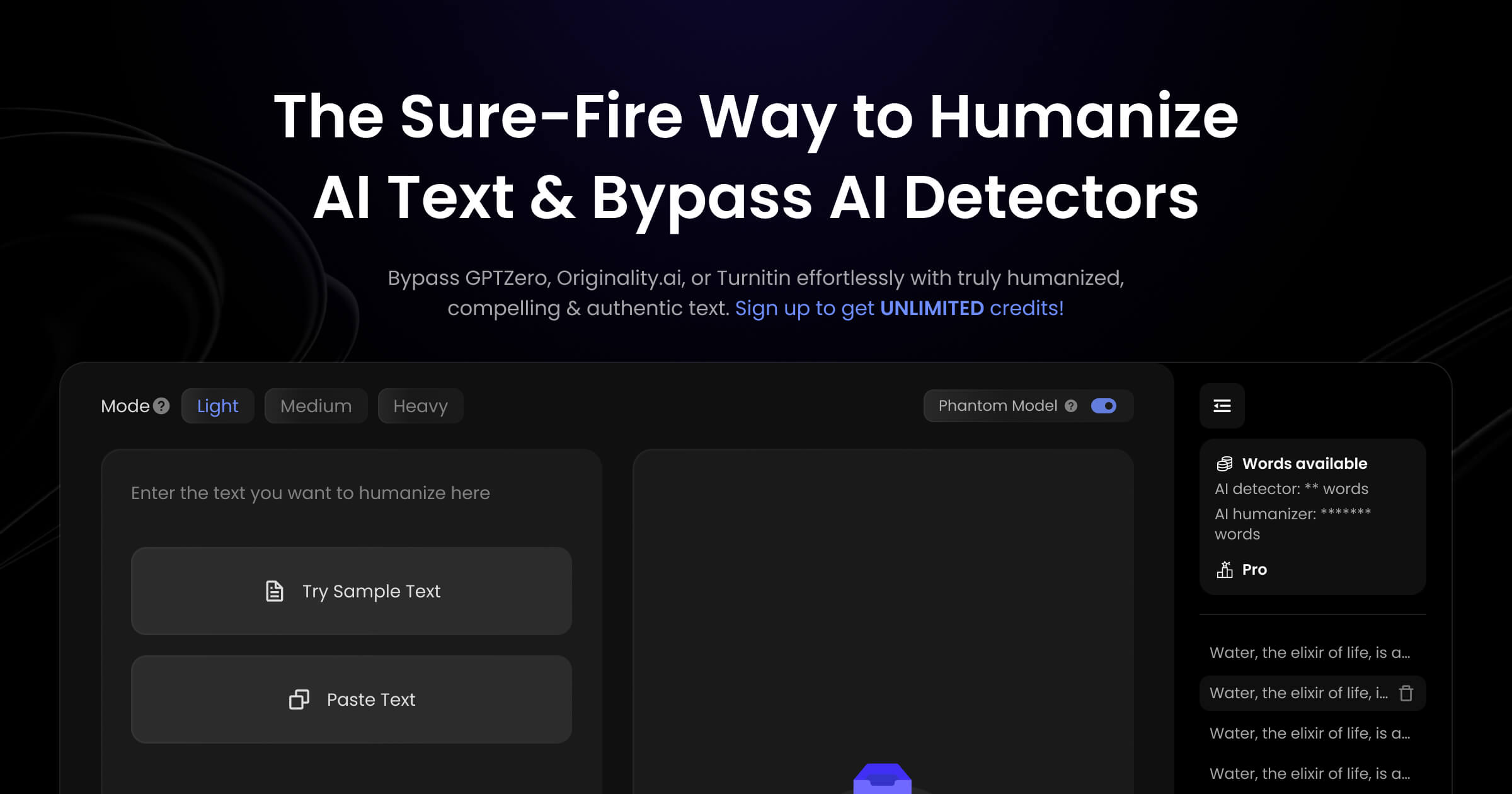
Humanize.io is built for volume above all. Where most tools meter your words, its annual plan offers unlimited processing at a flat rate — the whole reason high-output operations look at it. The rewrite runs in three intensities: Light for a gentle detection boost, Medium for balanced restructuring, and Heavy for aggressive transformation. A built-in dashboard aggregates pass/fail results from several external detectors so you can verify in one place, and it supports 50+ languages with real syntax restructuring rather than translation. For agencies and niche-site owners pushing dozens of articles a week, the unlimited model is the draw. Three intensities, built for scale The mode system keeps things simple and lets you trade polish for evasion deliberately. Light makes gentle stylistic adjustments for content that's already decent, Medium restructures sentences while holding readability — the practical sweet spot — and Heavy goes for maximum transformation when a detector is strict. Around the rewrite, the AI Checker dashboard pulls several detectors' verdicts into one view, the keyword retention holds SEO terms through aggressive passes, and an API opens it up to automated workflows. The 50+ language support restructures native syntax, which is what international SEO actually needs. What you get Unlimited processingFlat-rate, no per-word meter on the annual plan Three modesLight, Medium and Heavy — trade polish for evasion as needed AI checker dashboardAggregates several external detectors' results in one view 50+ languagesNative syntax restructuring, not just translation Keyword retention & APIHolds SEO terms through the rewrite; API for automation How it holds up The unlimited flat-rate model is the genuine value here — for an operation publishing at volume, a fixed monthly cost regardless of output changes the math. Medium mode is the one to live in; Light gives a boost that may not clear the strictest detectors, and Heavy maximizes evasion but tends to leave grammar that needs a cleanup pass. The multi-detector dashboard is a useful way to confirm a result, and the language restructuring is more than a translation layer. It's a throughput workhorse rather than a finesse tool, so budget a proofread on Heavy-mode output. The verdict For the niche-site owner or agency processing content at volume — especially across languages — Humanize.io's unlimited plan is a cost-effective workhorse, with the three modes letting you dial polish against evasion. It's less suited to one-off, finesse-first writing. Run Medium for most work, reserve Heavy for the strictest detectors, and proofread what comes back — used that way, the unlimited model pays for itself quickly at scale.

RewriterPro
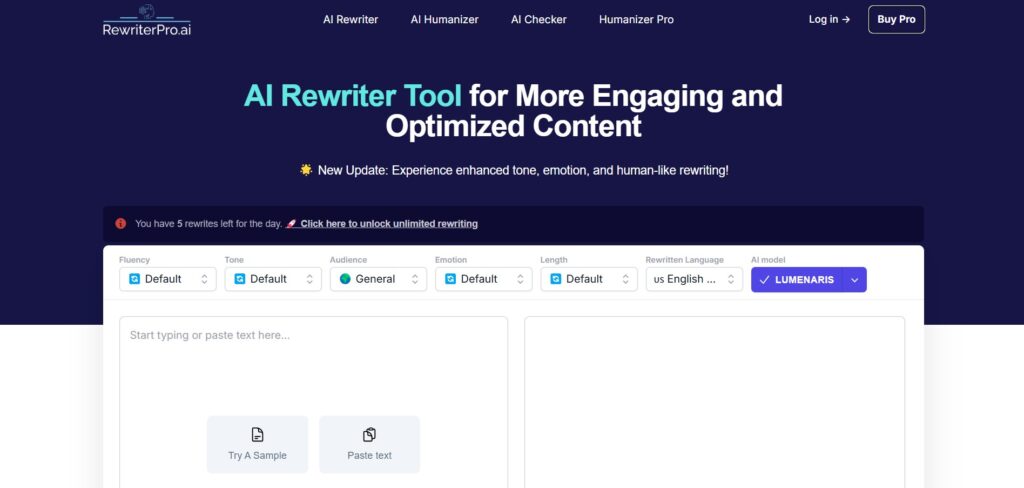
RewriterPro treats humanizing as a craft rather than a brute-force pass, and its controls show it. Instead of a few preset modes, it gives you an Emotional Depth slider (Mild to Strong) and separate Tone and Audience selectors, so you can aim a rewrite at executives or a general readership and dial how persuasive it feels. Its proprietary LUMENARIS model prioritizes natural style and voice preservation over aggressive restructuring. The result is a tool that's genuinely good for creative and marketing writing — with the honest caveat that its subtlety can fall short against the strictest academic detectors. A mixing board for tone The granular controls are the differentiator. The Emotional Depth slider actually changes how the text feels — softer or more forceful — rather than just swapping vocabulary, and the Audience selector tailors style more precisely than a simple "academic vs casual" toggle. LUMENARIS, the engine underneath, is tuned to keep your personality and flow intact while it humanizes, so the output reads like a considered draft rather than a scrambled one. It's built for writers who care how the words land, not just whether they pass. What you get Emotional Depth sliderTune sentiment intensity from Mild to Strong Audience selectorTailor vocabulary and style to a specific readership LUMENARIS modelPrioritizes natural flow and voice over aggressive restructuring Tone preservationKeeps your personality intact through the rewrite How it holds up For creative and marketing work, RewriterPro is a pleasure to use — the controls give real authorship over the result, and LUMENARIS keeps the voice rather than flattening it, which is exactly what storytellers and copywriters want. The honest trade is the flip side of that subtlety: because the engine is built to sound human rather than to game detectors, it can come up short on high-stakes academic checks like Turnitin. Treat it as a stylistic tool first. For a tough academic submission you may want to follow it with a heavier-hitting humanizer; for persuasive or creative writing, the nuance is the whole point. The verdict For the novelist, copywriter or marketer who wants control over tone and audience and a rewrite that keeps their voice, RewriterPro is a distinctive, affordable pick, and the Emotional Depth slider is a genuinely useful lever you won't find everywhere. It's the wrong tool for high-stakes academic bypass, where its subtlety is a liability rather than a strength. Use it for craft — dial the depth, set the audience, and let LUMENARIS keep the writing yours.

StealthGPT
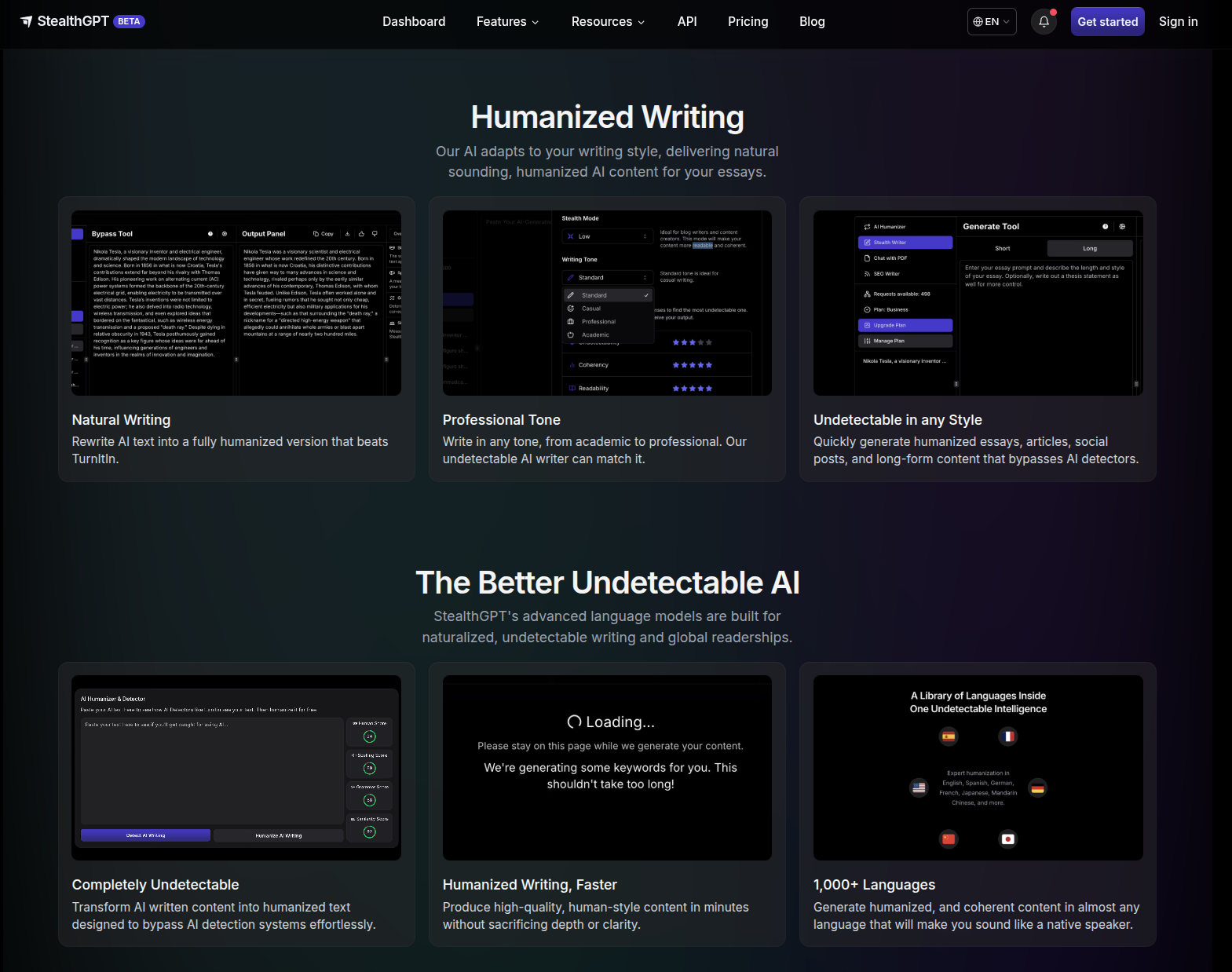
StealthGPT figured out what a humanizer for students really needs to be: a student in an 11:59 PM panic doesn't need words rewritten so much as the whole workflow handled. So instead of one more paste-in box, it's a full student toolkit — snap a worksheet with your phone and get answers, chat with a PDF of your reading, humanize and submit straight inside Canvas without leaving the tab. If you live on your phone and inside your LMS, it's about as complete as a student toolkit gets. The trade is that it's all-in on students — a couple of rough edges, no free tier to test-drive — but for the workflow it's built for, it goes remarkably deep. More than a humanizer StealthGPT is built as a student operating system, not just a rewrite, and the breadth is the point: photo input for physical worksheets, PDF chat for your readings, an in-LMS extension so you never switch tabs, and a Samurai mode for the assignments that have to clear the strictest detectors. What you get Underneath is the proprietary Stealth Engine; everything else sits on top of it. Engine Two modes — Standard (daily work) · Samurai (maximum evasion) Mobile-first tools Photo to Answers (snap a worksheet → undetectable answer) · Chat with PDF (question your readings, with citations) Where it works Chrome extension inside Docs / Canvas / Blackboard · native iOS app · web dashboard Extras MLA/APA citation generator (~80% accuracy) · SEO Writer · developer API Languages English, Spanish, German, French, Japanese, Mandarin How it holds up The headline isn't a bypass percentage — it's the time the workflow saves. Because the generate-humanize-submit loop never leaves your LMS, a discussion post comes together in about three minutes start to finish. Photo to Answers reads handwritten calculus, history worksheets, and whiteboard equations — physical material a paste-in box can't touch at all. Samurai is the mode to reach for when a piece has to clear the strictest detector settings; Standard handles routine weekly work. Treat the citation generator as a fast first draft — ~80% accuracy means a quick proofread before you submit. The catch A few honest edges, none fatal to the pitch: there's no free tier, so you can't kick the tires before committing; there's no document history yet, so save as you go; and the ~80% citation accuracy makes that feature a time-saver, not a hands-off one. These are the trade-offs of a tool that went deep on the student workflow instead of wide on a single rewrite box. The verdict For the student who lives on their phone and inside their LMS, StealthGPT is an exceptionally complete tool — photo input, PDF chat, and the in-LMS extension turn "humanize my essay" into a workflow that reclaims real hours, and Samurai covers the high-stakes pieces. A casual user who just needs the occasional rewrite is paying for an ecosystem they won't use; but if that ecosystem is your daily reality, this is the one to reach for. Start with the Chrome extension — it's the piece that changes how submitting feels.

StealthWriter
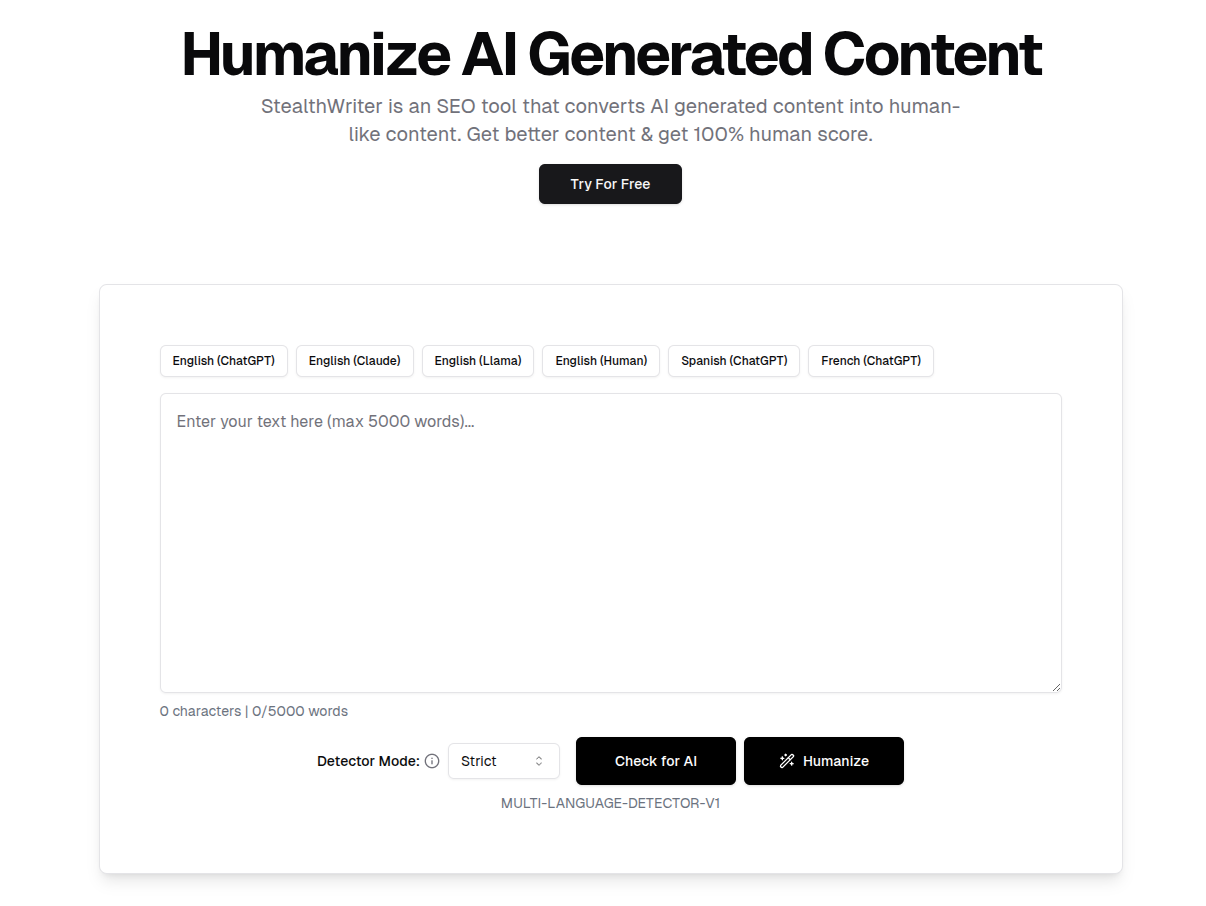
StealthWriter is built for one job above all: getting AI text past a detector, even when that means trading a little polish for it. Its edge is a dual-model system — Ninja for light, everyday rewriting, and Ghost for maximum evasion. Ghost doesn't just swap words; it restructures sentences wholesale, introducing the kind of uneven, "calculated chaos" that reads as authentically human to an algorithm. A free Ninja tier lets you try the basics, and an interactive sentence-alternatives tool lets you smooth any rough spots the aggressive rewrite leaves behind. For SEO specialists and content teams who need volume to pass, it's a purpose-built workhorse. Two models, two jobs The dual-model design is the whole idea. Ninja handles light rewriting — quick, simple, and free up to a daily limit — while Ghost is the heavy hitter, completely rebuilding sentence structure to break the statistical patterns detectors look for. That aggression is what makes Ghost effective, and it comes with an honest trade: occasionally it produces a phrase that reads a little off. StealthWriter builds the fix right in — click any sentence and get five alternative phrasings to pick from, so you keep the evasion and tidy the readability in the same pass. A built-in detector scores your text before and after, and a content generator can draft from scratch while holding your SEO keywords in place. What you get Ghost model Rebuilds sentence structure wholesale for maximum evasion Ninja model Light everyday rewriting, free up to 300 words/day Sentence alternatives Click any sentence for five rephrasings — smooths the aggressive rewrite Built-in detector Scores human probability before and after, in multiple languages Content generator Drafts from scratch while preserving SEO keywords Free tier Try the Ninja model at no cost before committing How it holds up StealthWriter's approach is deliberately aggressive, and that's the source of both its strength and its one quirk. By restructuring sentences rather than swapping synonyms, Ghost breaks the patterns detectors are trained on, which is exactly why it's favored for high-volume work where passing is the priority. The honest flip side is readability: the harder the rewrite, the more likely a sentence comes out slightly awkward — which is precisely why the click-for-alternatives tool exists, and why it's worth using as part of the workflow rather than skipping. Run a piece through Ghost, scan it with the built-in detector, and clean up any rough sentences with the alternatives picker, and you get evasion-first output that still reads fine. Built for volume and SEO StealthWriter knows its audience. The SEO specialist running content at scale gets a tool tuned for throughput, where "good enough and passing" beats slow perfection. The content agency processing client articles can clear a batch in a fraction of the manual time. And the keyword-preserving generator means brand and target terms survive both the rewrite and a from-scratch draft. It's a commodity-content workhorse, and it's honest about being one. The verdict For the SEO specialist and the high-volume content team — anyone who needs AI text to clear a detector at pace and can spend a moment tidying the occasional rough sentence — StealthWriter is a focused, effective pick. Ghost is the model that does the heavy lifting; the free Ninja tier is the easy way to get a feel for it first. It's less suited to someone who wants flawless prose in a single click, since the aggressive evasion trades a little polish for results. Start with Ghost, lean on the sentence-alternatives tool, and you've got a dependable evasion-first workflow.
Free tier

AI Undetect
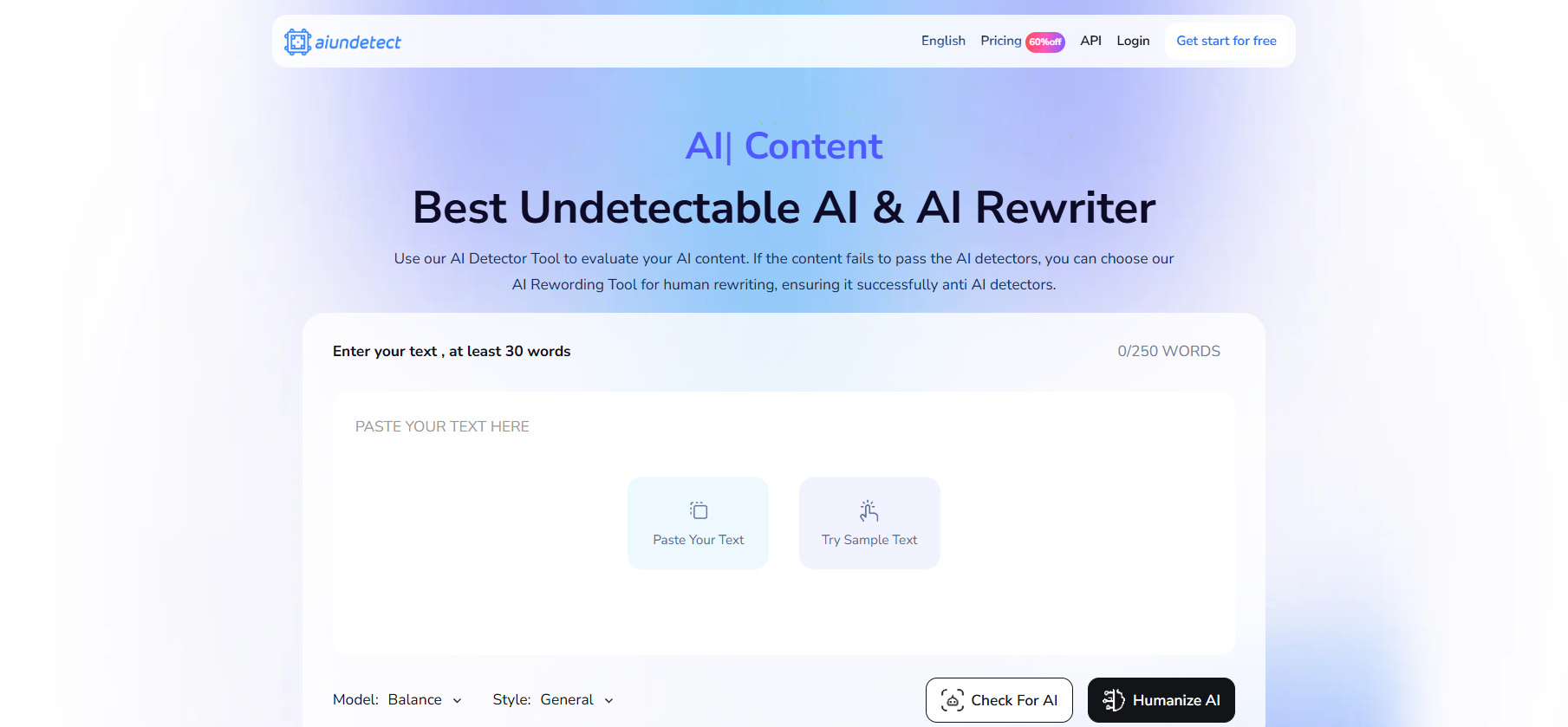
AI Undetect is most useful read as a verification tool first and a rewriter second. Its standout is an integrated dashboard that runs your text through eight major detectors at once — GPTZero, Copyleaks, Turnitin, Originality.ai, Winston AI, Writer and two more — and shows pass/fail and confidence for each in a single view. Its Global Health Check saves the ten-or-fifteen minutes of tab-switching it normally takes to check a document across that many tools. A built-in Undetect V3 engine handles the rewriting, with a free manual mode and a premium iterative mode, plus 20+ languages and an API. One dashboard, eight detectors The aggregation is the real value. Instead of trusting a single proprietary "human score," AI Undetect outsources the verdict to the detectors your work will actually face, side by side — a transparent way to know where a piece stands before you submit it. Manual mode lets free users paste text and see those scores, while the premium Auto-Perfect mode rewrites, re-checks and repeats. The 20+ language coverage and developer API extend it to multilingual work and to teams that want to build multi-detector checks into their own tools. What you get Global Health CheckRuns text through 8 detectors at once, with pass/fail and confidence for each Detector aggregationGPTZero, Copyleaks, Turnitin, Originality.ai, Winston AI, Writer and two more Manual modeFree scoring — paste text and see the detector results Auto-Perfect modePremium iterative rewrite-and-recheck loop Languages & API20+ languages and developer API access How it holds up The dashboard is genuinely handy: seeing eight detectors agree (or disagree) in one place is the kind of verification step that's tedious to do by hand, and AI Undetect makes it quick and cheap. The honest caveat is the rewriting engine, which is the weaker half of the product — the Auto-Perfect loop can be inconsistent, and reviewers tend to rate the rewrite quality below the dedicated humanizers. That's why it works best as a checking layer: bring your own humanizer you trust, then use AI Undetect's multi-detector view to confirm the result across the tools that matter to you. The verdict For the verification-first user who already has a humanizer and wants one place to confirm a draft across many detectors before submitting, AI Undetect is a cheap, transparent and time-saving check — the eight-detector dashboard is the reason to keep it around. Lean on it less as your main rewriter, where the output is uneven, and more as the sanity check at the end of the workflow. Used that way, it earns its low price.