Images and demos of Humanize AI Pro
Image carousel

Image thumbnals
Metadata about Humanize AI Pro

By Humanize AI Pro
Last updated June 28, 2026Main use
Speciality
Model
Pricing
$10/month
Free tier
Free to start; three annual paid plans. Free is 500 words/month, no signup. Paid annual plans: Starter $119/year (20,000 words/mo), Pro $239/year (200,000), Ultra $479/year (1,000,000); per-request caps of 500-2,000 words by tier. Refunds only within 2 days and under 1,000 words used.
Product description
Humanize AI Pro is really a content tool wearing a humanizer's badge. Its standout is the Auto Blog Writer — included on every tier, even the free one — which turns a topic or outline into a structured draft and then runs it through the same v8 engine that rewrites pasted AI text. Add a Chrome extension that humanizes highlighted text anywhere you write, and it's a draft-to-published workflow rather than a single rewrite box. The bypass marketing is loud — near-perfect scores across every detector — but those are the company's own numbers, and the one independent test we found tells a different story. Come for the writing workflow; treat the bypass claims as unproven.
More than a rewrite box
The Auto Blog Writer is the genuine differentiator. Paste a topic or an outline and it produces a structured post, which the v8 engine — the company's own, built to restructure sentence architecture rather than swap words — then humanizes in the same pass. The Chrome extension extends that anywhere you write: highlight text in Google Docs, a CMS or a chat box and rewrite it from the right-click menu. With up to 10,000 words a request and near-instant returns, it's built to keep up with a publishing calendar, not just a one-off essay.
What you get
| Auto Blog Writer | On every tier, free included — topic or outline in, a structured draft out, then humanized |
| v8 Engine | The company's own engine; claims to restructure sentence architecture rather than swap words |
| Chrome extension | Right-click humanize for highlighted text in Docs, a CMS or chat |
| Speed & scale | Up to 10,000 words per request, near-instant, no queue |
| Tone tiers | Basic (Free/Starter), Advanced (Pro), Premium (Ultra) |
| Reach | 50+ languages, with output tuned to read naturally for search as well |
How it holds up
The bypass marketing is the loudest thing on the site — Turnitin, GPTZero, Originality.ai and the rest listed at 99–100% human — but every one of those figures is the company's own daily testing, framed as round marketing numbers rather than a methodology you can check. We found no independent benchmark and no community signal to corroborate them. What we did find was a single independent video test that ran Humanize AI Pro against three detectors and reported it failed them. One test isn't a verdict, but it's the only outside data point, and it points the opposite way from the vendor's 100%. So we don't credit the bypass claims. What holds up on its own merits is the writing workflow — the Auto Blog Writer and the v8 rewrite are useful regardless of what any detector says.
The catch
Two real limits. The free tier is 500 words a month — enough to try the Auto Blog Writer a couple of times, and well short of the "unlimited free" the homepage implies, so a real workload means a paid plan sooner than the marketing suggests. And the bypass is the product's headline yet its weakest-evidenced part: with no independent confirmation and one outside test showing a failure, anything high-stakes needs checking on the detector you'll actually face before you rely on it.
The verdict
Humanize AI Pro earns its place as a writing workflow: the Auto Blog Writer on every tier, a v8 engine that does more than swap words, and a Chrome extension that brings rewriting into wherever you work make it a genuine draft-to-publish tool for content marketers and high-volume writers. Lean on it for that. It's the wrong pick if you're buying the bypass guarantee — the numbers are self-reported and the one independent test went the other way. Lean on the Auto Blog Writer, take the bypass scores as a maybe, and you'll get exactly what this tool is actually good at.
Editorials
Benchmarks
Similar products

Humanize AI Text
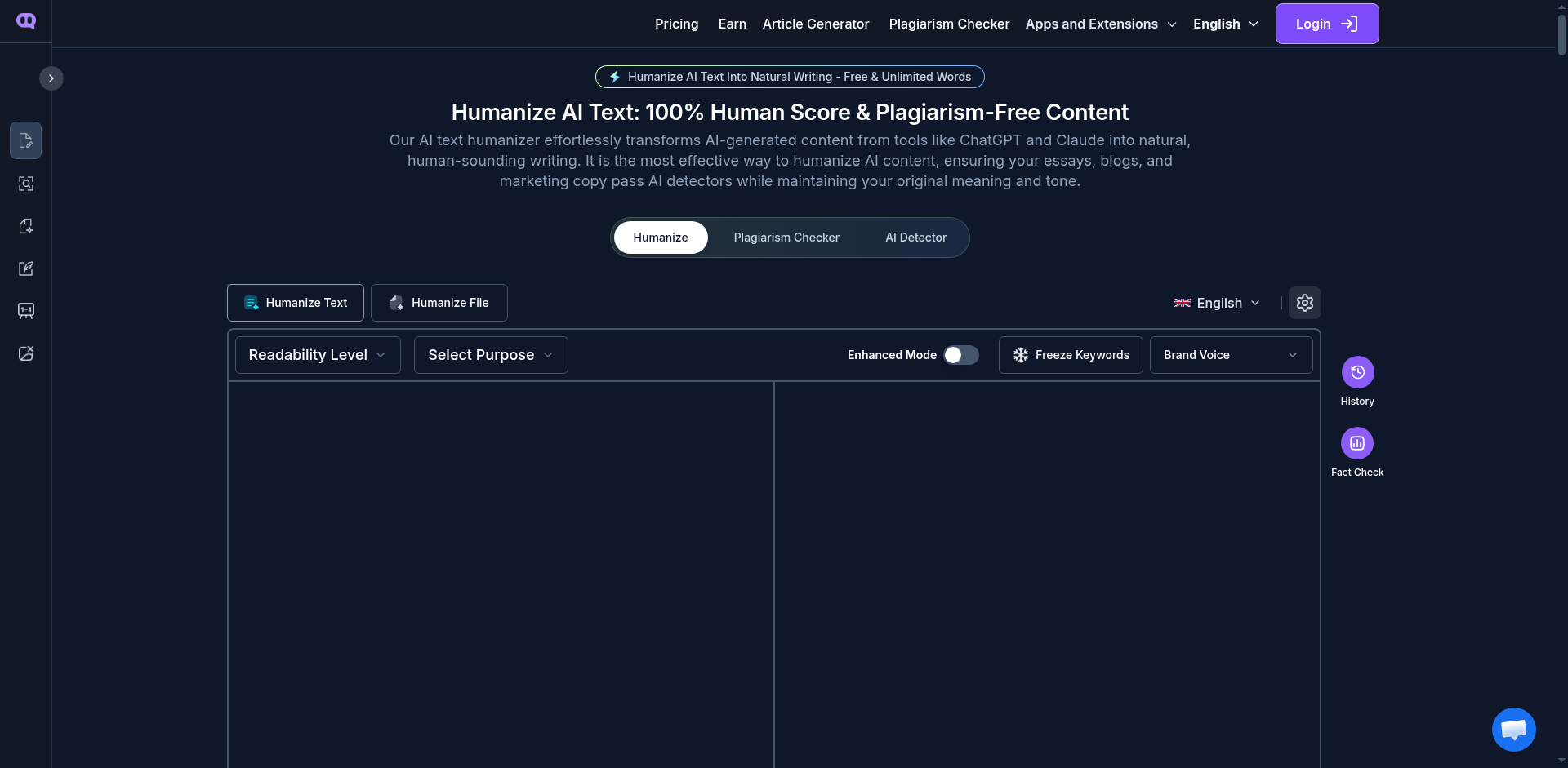
Humanize AI Text leads with a free, no-login tier and an unusually deep set of controls: five editing modes — Standard, Shorten, Expand, Simplify and Improve Writing — three bypass intensities, and a Keyword Freeze that locks terms you can't let drift. That control is the genuine draw. Be skeptical of the headline, though: the site advertises a "0% AI detection guarantee" and then, in the same breath, says no tool can actually guarantee that — so the guarantee cancels itself out. Independent reviewers land somewhere sensible in between, calling it a solid basic humanizer with a good free tier, not a silver bullet. More dials than most The reason to look here is control rather than a magic engine. The five modes do different jobs — Shorten condenses a bloated AI draft, Expand adds depth, Simplify clarifies, Improve Writing cleans up flow and grammar, and Standard is the straight humanize — and the three bypass settings (Basic, Aggressive, Enhanced) let you dial the rewrite intensity to the detector you're up against. Keyword Freeze is the standout: it pins brand names, product terms or technical vocabulary so the rewrite doesn't quietly swap them out, which matters for SEO and technical work. Paid tiers add file upload that keeps formatting (DOC, PDF, PPT), 26 languages and built-in plagiarism fixing. What you get Free, no login Runs without an account; the vendor claims unlimited words (worth verifying) Five editing modes Standard, Shorten, Expand, Simplify, Improve Writing Three bypass intensities Basic, Aggressive and Enhanced to match the detector Keyword Freeze Locks brand, product or technical terms so they survive the rewrite Paid extras File upload with formatting kept, 26 languages, plagiarism detection and fixing Scale tier Real-time Human Score as the rewrite runs How it holds up Start by discounting the marketing. The "0% AI detection guarantee" is undercut by the vendor's own disclaimer that it can't guarantee that anywhere — so treat it as a slogan, not a promise — and there's no independent benchmark or named model behind the bypass claims. What there is, modestly, is hands-on review coverage, and it's reasonable rather than glowing: independent testers describe effective basic humanization and a genuinely good free tier, while noting it works best as one step in a content process, not a one-click invisibility button. That squares with the feature set — plenty of useful controls, no evidence of a category-leading engine. Run your own text through it on the free tier and read the result on your detector; that's the only number that counts here. A guarantee that isn't one, and an unproven engine Two things to keep in view. The headline guarantee is self-cancelling, so don't buy on it — buy on whether the output clears your detector in your own test. And the free tier's "unlimited" claim isn't spelled out feature by feature, so confirm it covers what you need before assuming the paid tiers are the only way to get real work done. The engine is undisclosed and unbenchmarked; the controls are the substance, the bypass is the question mark. The verdict Humanize AI Text is a sound pick for the writer who wants control — five editing modes, adjustable bypass strength and a Keyword Freeze that protects terminology — wrapped around a free, no-login tier that lets you test before paying. It suits SEO and marketing work especially, where locking brand terms matters. It's the wrong pick if you're swayed by the 0% guarantee or need independently proven performance — neither holds up. Freeze the terms that can't move, pick the mode that fits the job, and you've got a genuinely capable control panel — just don't pay for a guarantee that disclaims itself.
Free tier

Walter Writes AI
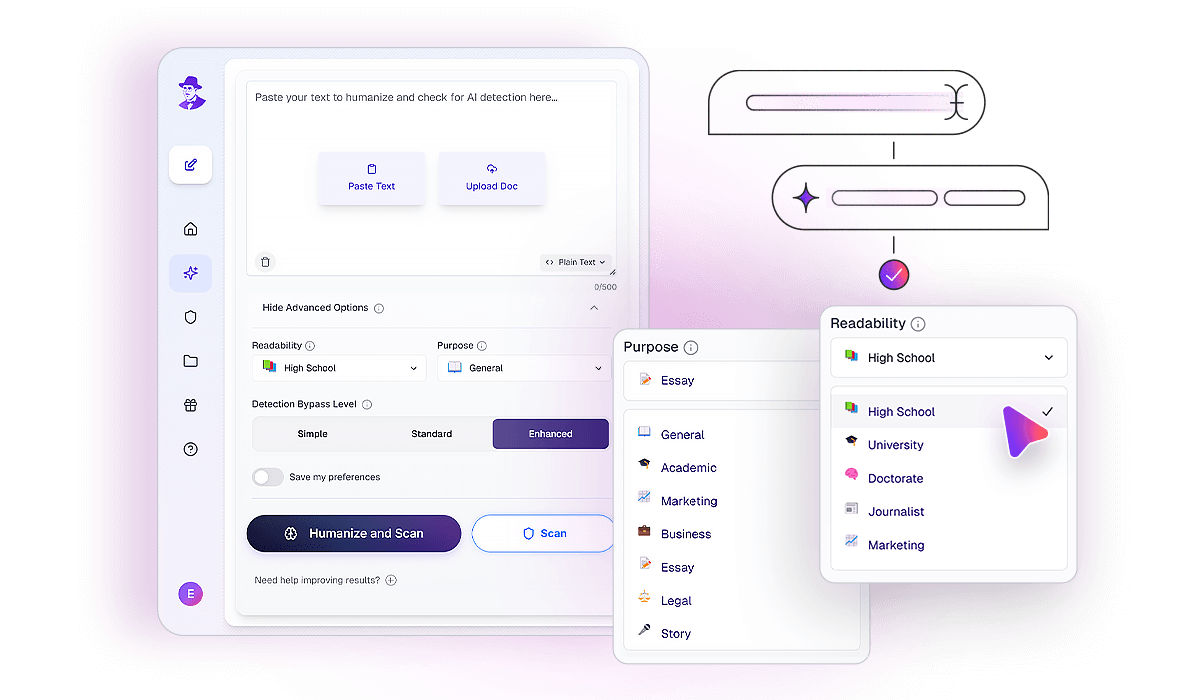
Walter Writes AI is the humanizer for people who don't want to leave their tools. Its real differentiator is MCP server access on every plan — connect Claude or any MCP client and the humanizer and detector become tool calls inside your workflow, not another browser tab. Pair that with an integrated detector that runs your output past six checkers before you submit, rewrite-strength controls, and word ceilings that climb to half a million a month, and it's built as a platform rather than a paste box. The catch is evidence: the bypass numbers are Walter's own, with no independent test to back them — so the verify-before-you-send tooling is doing a lot of the reassurance. Built to live inside your workflow Two things make Walter a platform rather than a button. The first is the MCP integration: it's the rare humanizer that ships as a Claude tool, so a power user wires it in once and humanizes or checks text without copy-pasting between tabs — the single best reason to pick it over a cheaper rewriter. The second is verification built in. Alongside its own scorecard, Walter runs output through six external detectors — Turnitin, GPTZero, ZeroGPT, Originality.ai, Copyleaks and Proofademic — so you see where a piece stands across the board before you submit, not after. What you get MCP integration Connect Claude or any MCP client — humanize and detect as tool calls, on every plan Six-detector check Its own scorecard plus parallel checks against Turnitin, GPTZero, ZeroGPT, Originality.ai, Copyleaks and Proofademic Rewrite control Three strengths — Simple, Standard, Enhanced — with voice and meaning preserved Volume range Monthly ceilings from 30K up to 500K words, 750–2,000 per request; Teams adds 10 seats Reach & cleanup 80+ languages and ChatGPT watermark removal on every paid plan Also shipping AI Humanizer and AI Detector GPTs in the ChatGPT store; a REST API in early-access waitlist How it holds up This is the honest gap. Walter publishes strong numbers — 98% human-like, 90%+ detector bypass across the six it names — but they're all the company's own, and we found no independent benchmark, no third-party review and no community signal to corroborate them. The model isn't named either. So the bypass claims sit unverified, and the reason that matters less here than elsewhere is structural: Walter's own six-detector validation lets you check the result against the detectors that matter to you before you rely on it. Take the marketing numbers as a starting point and let the built-in checks be the actual evidence on your own content. The catch Two real limits. The performance rests entirely on vendor figures and an undisclosed model — fine for low-stakes work, worth verifying through the built-in detectors before anything that counts. And the platform depth is the whole pitch: if you don't need the MCP integration, the six-detector check or the high word ceilings, you're paying for infrastructure a cheaper paste-in humanizer would cover. The 300-word free trial is the place to find out which camp you're in. The verdict Walter Writes AI is the right pick for the power user who lives in Claude and wants humanizing and detection as native tool calls, and for an SEO team or agency whose monthly volume runs into the hundreds of thousands of words — the MCP integration and the 500K ceiling are genuinely uncommon, and the six-detector check earns its place for anyone who'd rather verify than guess. It's the wrong pick if you just need a single small humanizer with no platform around it. The MCP hook is the whole reason to be here; if it doesn't slot into your stack, what's left is a capable humanizer at a premium price.


BypassGPT
BypassGPT is built for people who publish at volume and want their AI drafts to read as genuinely human. Its engine is trained on a claimed 200 million articles — a deliberately huge pool of real writing meant to teach it the natural, uneven rhythm detectors look for — and the payoff shows up most in Enhanced mode, which in our own detector testing clears the major checkers consistently. Around the rewrite sits a workflow designed for serious output: a pre-download evasion score so you know where a draft stands before you publish, a keyword shield that protects your SEO and technical terms, and a one-click ChatGPT watermark remover. For bloggers, agencies and students who move a lot of content, it's a confident, well-equipped choice. Built around the publish button What lifts BypassGPT above a plain paste-and-rewrite box is everything wrapped around the humanize step. Before you download, an evasion score predicts how the major detectors will read your text, so you publish knowing where you stand rather than hoping for the best. During the rewrite, the keyword shield holds your technical terms and SEO phrases in place instead of trading them for near-synonyms — the quiet failure that costs rankings and meaning in lesser tools. The watermark remover scrubs the invisible signature ChatGPT embeds in its output. And three intensities let you match the tool to the task: Fast and Creative for quick, low-stakes cleanups, and Enhanced — the workhorse — for the pieces that have to clear a strict detector. What you get Enhanced mode The high-stakes setting — passes the major detectors consistently in our testing Evasion score A predicted detector score before download, so you publish with confidence Keyword shield Holds technical terms and SEO keywords in place through the rewrite Watermark remover Strips the invisible ChatGPT signature from generated text Scale A 200M-article training set, plus an Unlimited tier with no per-input word cap Reach 50+ languages, tuned for English, Spanish, French and Mandarin How it holds up In our own detector tests, Enhanced mode is the standout — it passes the major detectors consistently, which is exactly what you want from the setting you'll reach for when a piece has to clear a strict check. That reliability where it counts is the product's real strength, and it pairs naturally with the evasion score: you see the predicted result before you commit, so there's no guesswork at the publish button. The keyword shield earns its place too, especially for SEO and technical writing, where holding terminology steady is the difference between a clean rewrite and a mangled one. The honest framing is simple and works in BypassGPT's favour — lean on Enhanced for anything that matters, keep the lighter modes for fast, low-risk cleanups, and let the score confirm you're good before you post. Who it's built for BypassGPT is squarely a volume tool, and it shows in who gets the most from it. The SEO agency owner running a stable of blogs can clear a batch of drafts in a sitting, keeping brand and product terms intact via the keyword shield. The marketer turning AI-assisted copy into publishable content gets the evasion score as a safety check before anything ships. And the student facing a strict detector when it genuinely counts has Enhanced mode and the no-word-cap Unlimited tier for long pieces. The 50+ language support, with strong coverage for English, Spanish, French and Mandarin, widens that to international content teams. The one practical note There's no free tier, so you start on a paid plan rather than a free trial — which fits the high-volume user BypassGPT is built for, and the entry plan is priced accessibly with a short money-back window for a first look. Past that, the guidance is all upside: the engine is at its strongest in Enhanced mode, so reach for it on the pieces that have to pass, and you'll get the most out of what the 200-million-article training was built to do. The verdict For the SEO agency running a stable of blogs, the marketer producing AI-assisted copy at pace, or the student who needs a draft to clear a strict detector, BypassGPT is a strong, well-rounded pick — the large-scale engine, the reliably-passing Enhanced mode, and the keyword shield add up to a tool that fits a real publishing workflow rather than a one-off rewrite. Reach for Enhanced when it counts, use the evasion score to publish with confidence, and let the lighter modes handle the quick stuff. For anyone moving real volume, it's an easy one to recommend.

StealthWriter
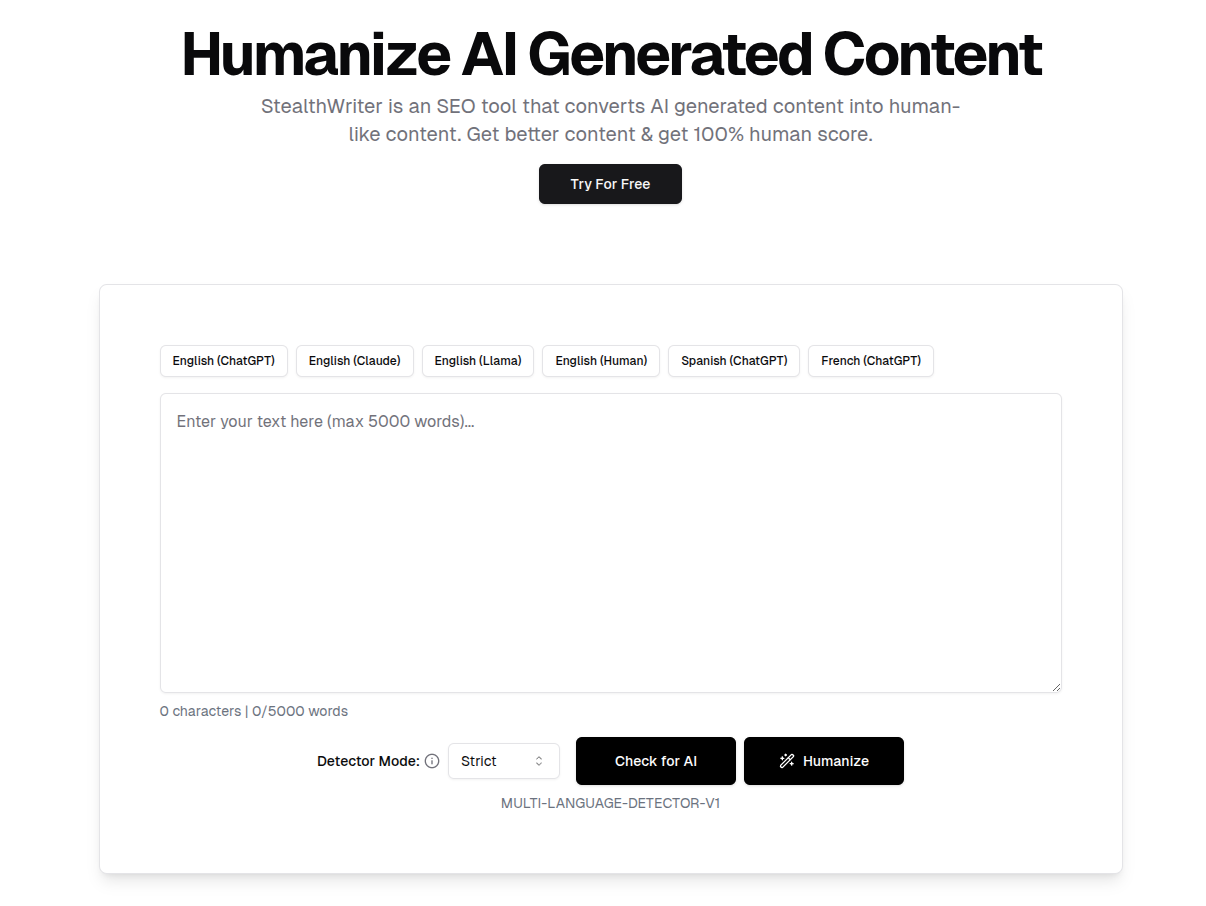
StealthWriter is built for one job above all: getting AI text past a detector, even when that means trading a little polish for it. Its edge is a dual-model system — Ninja for light, everyday rewriting, and Ghost for maximum evasion. Ghost doesn't just swap words; it restructures sentences wholesale, introducing the kind of uneven, "calculated chaos" that reads as authentically human to an algorithm. A free Ninja tier lets you try the basics, and an interactive sentence-alternatives tool lets you smooth any rough spots the aggressive rewrite leaves behind. For SEO specialists and content teams who need volume to pass, it's a purpose-built workhorse. Two models, two jobs The dual-model design is the whole idea. Ninja handles light rewriting — quick, simple, and free up to a daily limit — while Ghost is the heavy hitter, completely rebuilding sentence structure to break the statistical patterns detectors look for. That aggression is what makes Ghost effective, and it comes with an honest trade: occasionally it produces a phrase that reads a little off. StealthWriter builds the fix right in — click any sentence and get five alternative phrasings to pick from, so you keep the evasion and tidy the readability in the same pass. A built-in detector scores your text before and after, and a content generator can draft from scratch while holding your SEO keywords in place. What you get Ghost model Rebuilds sentence structure wholesale for maximum evasion Ninja model Light everyday rewriting, free up to 300 words/day Sentence alternatives Click any sentence for five rephrasings — smooths the aggressive rewrite Built-in detector Scores human probability before and after, in multiple languages Content generator Drafts from scratch while preserving SEO keywords Free tier Try the Ninja model at no cost before committing How it holds up StealthWriter's approach is deliberately aggressive, and that's the source of both its strength and its one quirk. By restructuring sentences rather than swapping synonyms, Ghost breaks the patterns detectors are trained on, which is exactly why it's favored for high-volume work where passing is the priority. The honest flip side is readability: the harder the rewrite, the more likely a sentence comes out slightly awkward — which is precisely why the click-for-alternatives tool exists, and why it's worth using as part of the workflow rather than skipping. Run a piece through Ghost, scan it with the built-in detector, and clean up any rough sentences with the alternatives picker, and you get evasion-first output that still reads fine. Built for volume and SEO StealthWriter knows its audience. The SEO specialist running content at scale gets a tool tuned for throughput, where "good enough and passing" beats slow perfection. The content agency processing client articles can clear a batch in a fraction of the manual time. And the keyword-preserving generator means brand and target terms survive both the rewrite and a from-scratch draft. It's a commodity-content workhorse, and it's honest about being one. The verdict For the SEO specialist and the high-volume content team — anyone who needs AI text to clear a detector at pace and can spend a moment tidying the occasional rough sentence — StealthWriter is a focused, effective pick. Ghost is the model that does the heavy lifting; the free Ninja tier is the easy way to get a feel for it first. It's less suited to someone who wants flawless prose in a single click, since the aggressive evasion trades a little polish for results. Start with Ghost, lean on the sentence-alternatives tool, and you've got a dependable evasion-first workflow.
Free tier

StealthGPT
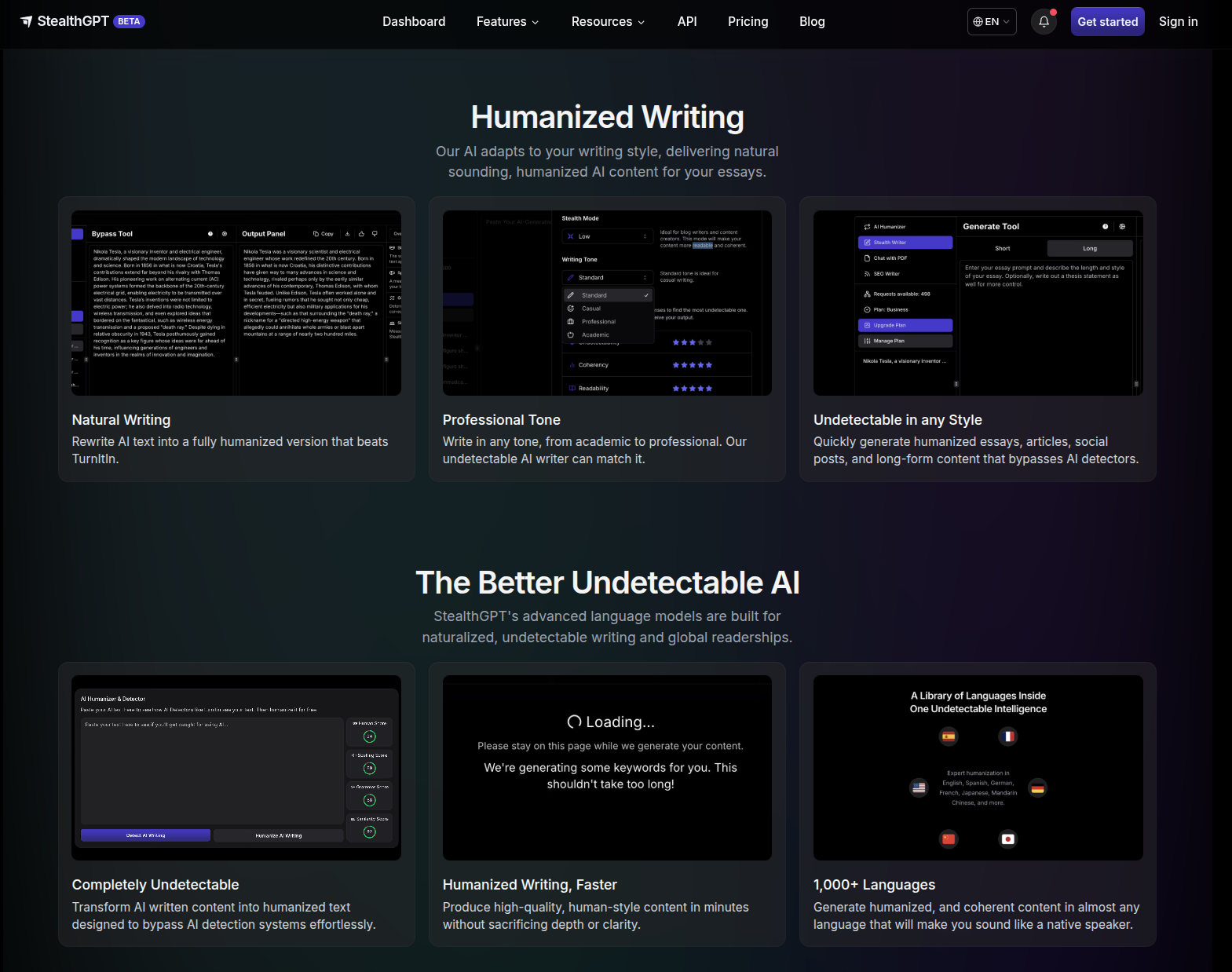
StealthGPT figured out what a humanizer for students really needs to be: a student in an 11:59 PM panic doesn't need words rewritten so much as the whole workflow handled. So instead of one more paste-in box, it's a full student toolkit — snap a worksheet with your phone and get answers, chat with a PDF of your reading, humanize and submit straight inside Canvas without leaving the tab. If you live on your phone and inside your LMS, it's about as complete as a student toolkit gets. The trade is that it's all-in on students — a couple of rough edges, no free tier to test-drive — but for the workflow it's built for, it goes remarkably deep. More than a humanizer StealthGPT is built as a student operating system, not just a rewrite, and the breadth is the point: photo input for physical worksheets, PDF chat for your readings, an in-LMS extension so you never switch tabs, and a Samurai mode for the assignments that have to clear the strictest detectors. What you get Underneath is the proprietary Stealth Engine; everything else sits on top of it. Engine Two modes — Standard (daily work) · Samurai (maximum evasion) Mobile-first tools Photo to Answers (snap a worksheet → undetectable answer) · Chat with PDF (question your readings, with citations) Where it works Chrome extension inside Docs / Canvas / Blackboard · native iOS app · web dashboard Extras MLA/APA citation generator (~80% accuracy) · SEO Writer · developer API Languages English, Spanish, German, French, Japanese, Mandarin How it holds up The headline isn't a bypass percentage — it's the time the workflow saves. Because the generate-humanize-submit loop never leaves your LMS, a discussion post comes together in about three minutes start to finish. Photo to Answers reads handwritten calculus, history worksheets, and whiteboard equations — physical material a paste-in box can't touch at all. Samurai is the mode to reach for when a piece has to clear the strictest detector settings; Standard handles routine weekly work. Treat the citation generator as a fast first draft — ~80% accuracy means a quick proofread before you submit. The catch A few honest edges, none fatal to the pitch: there's no free tier, so you can't kick the tires before committing; there's no document history yet, so save as you go; and the ~80% citation accuracy makes that feature a time-saver, not a hands-off one. These are the trade-offs of a tool that went deep on the student workflow instead of wide on a single rewrite box. The verdict For the student who lives on their phone and inside their LMS, StealthGPT is an exceptionally complete tool — photo input, PDF chat, and the in-LMS extension turn "humanize my essay" into a workflow that reclaims real hours, and Samurai covers the high-stakes pieces. A casual user who just needs the occasional rewrite is paying for an ecosystem they won't use; but if that ecosystem is your daily reality, this is the one to reach for. Start with the Chrome extension — it's the piece that changes how submitting feels.